
Risk-based testing: check your scores against escaped defects
Take a QA lead whose team uses risk-based testing to plan each sprint. Every story gets a risk score, the team tests the high scorers first, and the low scorers…
You have read this


QA managers, scrum masters, project managers, and other stakeholders within your organization do not have time to dig into the minutiae of all the projects they are involved in. You are responsible for setting goals, expectations, deadlines and ensuring that they are all met. This often means seeing and communicating the big picture. As part of the project, testers perform a variety of activities such as creating new test cases, running test cases, detecting bugs, logging bugs, and discussing blockers. All of these activities are important to a successful product deployment, but stakeholders do not have the time to get all the detailed information about the progress of the test effort. Instead, you need a high level of data to help you make informed decisions. This is where test status reports provide value. Use promo code CTFL10 for a 10% discount on Foundation Software Testing Training.
The purpose of a test report is to summarize and convey test activity information both during and at the end of the test activity (such as the test level). The test report created during the test activity is called the test progress report, and the test report created at the end of the test activity is called the test summary report. During test monitoring and control, the test manager regularly produces test progress reports for stakeholders.
The content of the test report depends on the project, organizational requirements, and software development life cycle. For example, complex or regulated projects with many stakeholders may require more detailed and rigorous reporting than rapid software updates. As another example, in agile development, you can integrate test progress reports into task boards, bug summaries, and burndown charts for discussion at daily stand-up meetings.
In addition to tailoring test reports to the context of the project, test reports must be tailored to the report's audience. The type and amount of information to include for a technical audience or internal test team may differ from what will be included in the summary report. In the first case, detailed information about error types and trends can be very important. In the latter case, a high-level report (e.g. defect status summary by priority and pass/fail/untested test conditions) may be more appropriate.
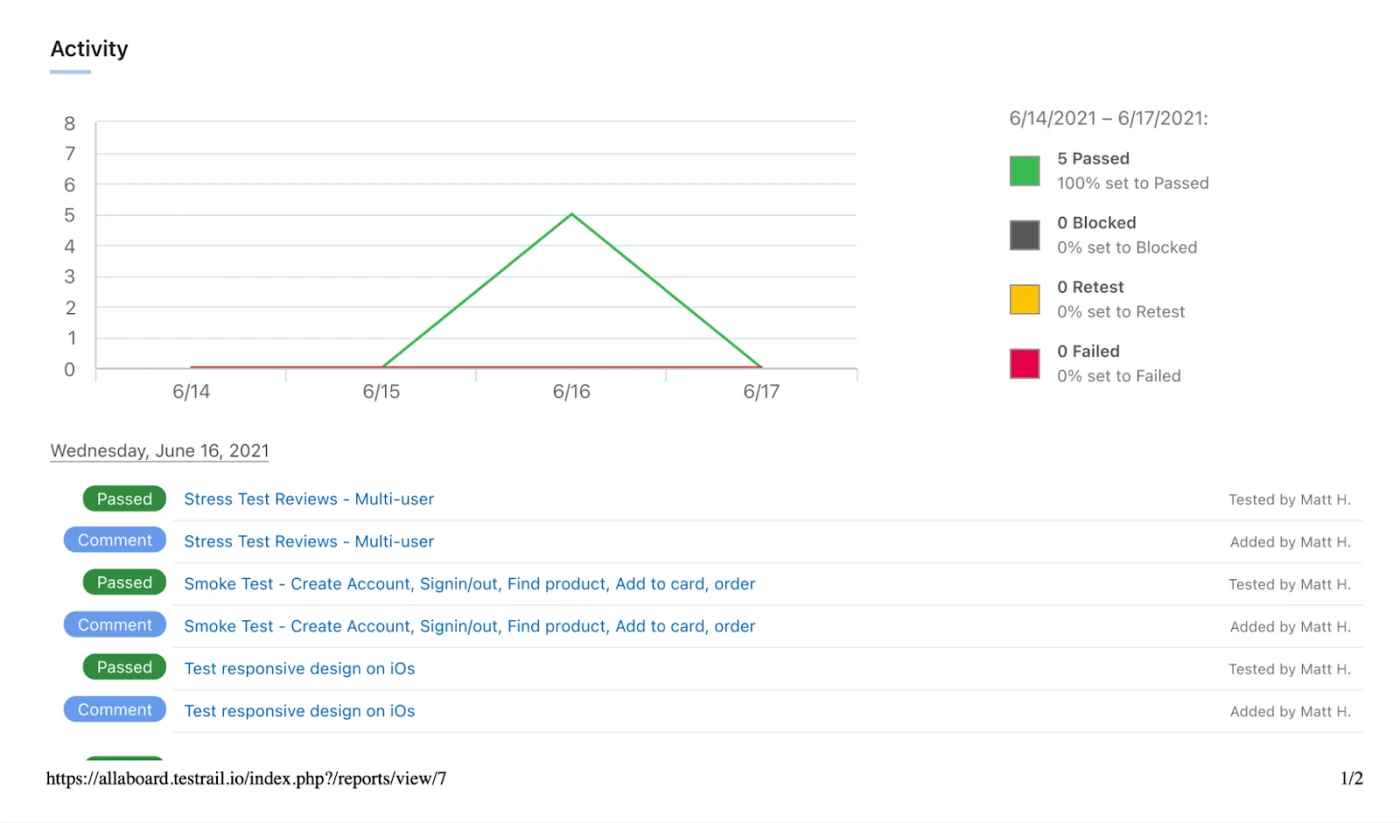
TestRail is a popular tool used to manage testing activities and generate reports instantly, regardless of the test framework and language used. Here is an example of a testing status report generated by TestRail.
Take a QA lead whose team uses risk-based testing to plan each sprint. Every story gets a risk score, the team tests the high scorers first, and the low scorers…
You have read this